Help centre / Search, reports and exports
Searching with KazeQL
Find any work in one line, or build a search with clicks.
KazeQL is Kaze's own query language. Use it in the backlog search, saved views, reports and dashboards, and agents use it too.
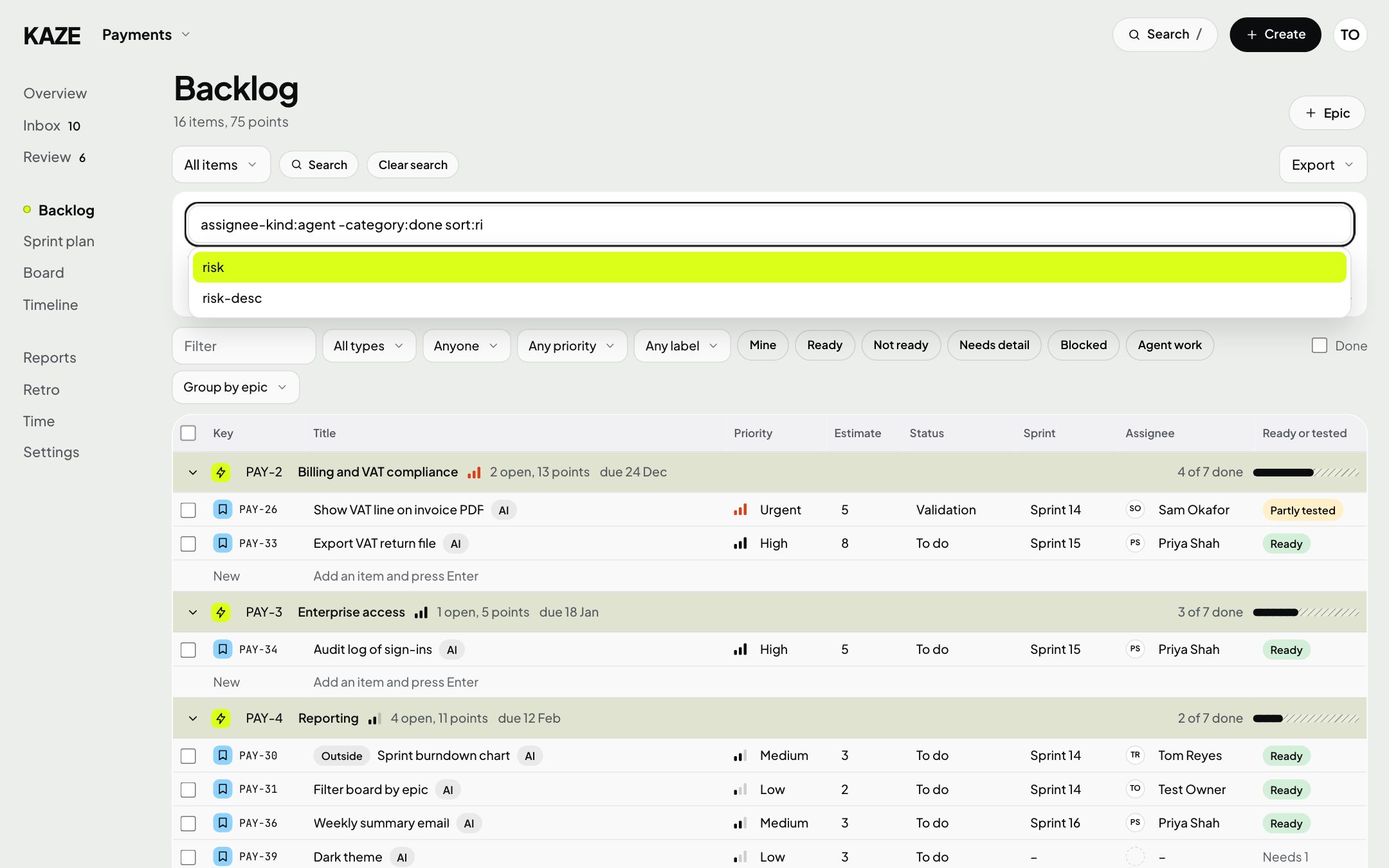
Building a search
In the backlog, choose Search. Add conditions with the builder, or choose Edit as KazeQL to type. Suggestions appear as you type, and a mistake says where it is and how to fix it.
How it reads
assignee:@me -category:done sort:priority-descfield:valuematches a field. A space between parts means and.OR,NOTor a minus sign, and brackets, combine parts.(a,b)means any of.1..5is a range.>,>=,<and<=compare.- Plain words search titles, descriptions and comments.
Examples
| Find | Search |
|---|---|
| My open work | assignee:@me -category:done |
| Agent work waiting for review, riskiest first | assignee-kind:agent review:waiting sort:risk-desc |
| Serious bugs | type:bug priority:>=high |
| Blocked or waiting for an answer | has:open-blockers OR has:question |
| Dates that moved in the last fortnight | changed:target-date after:-14d |
| Costly work finished last month | cost:>5 resolved:last-month sort:cost-desc |
The full list of fields and functions is in the KazeQL reference.
Coming from Jira
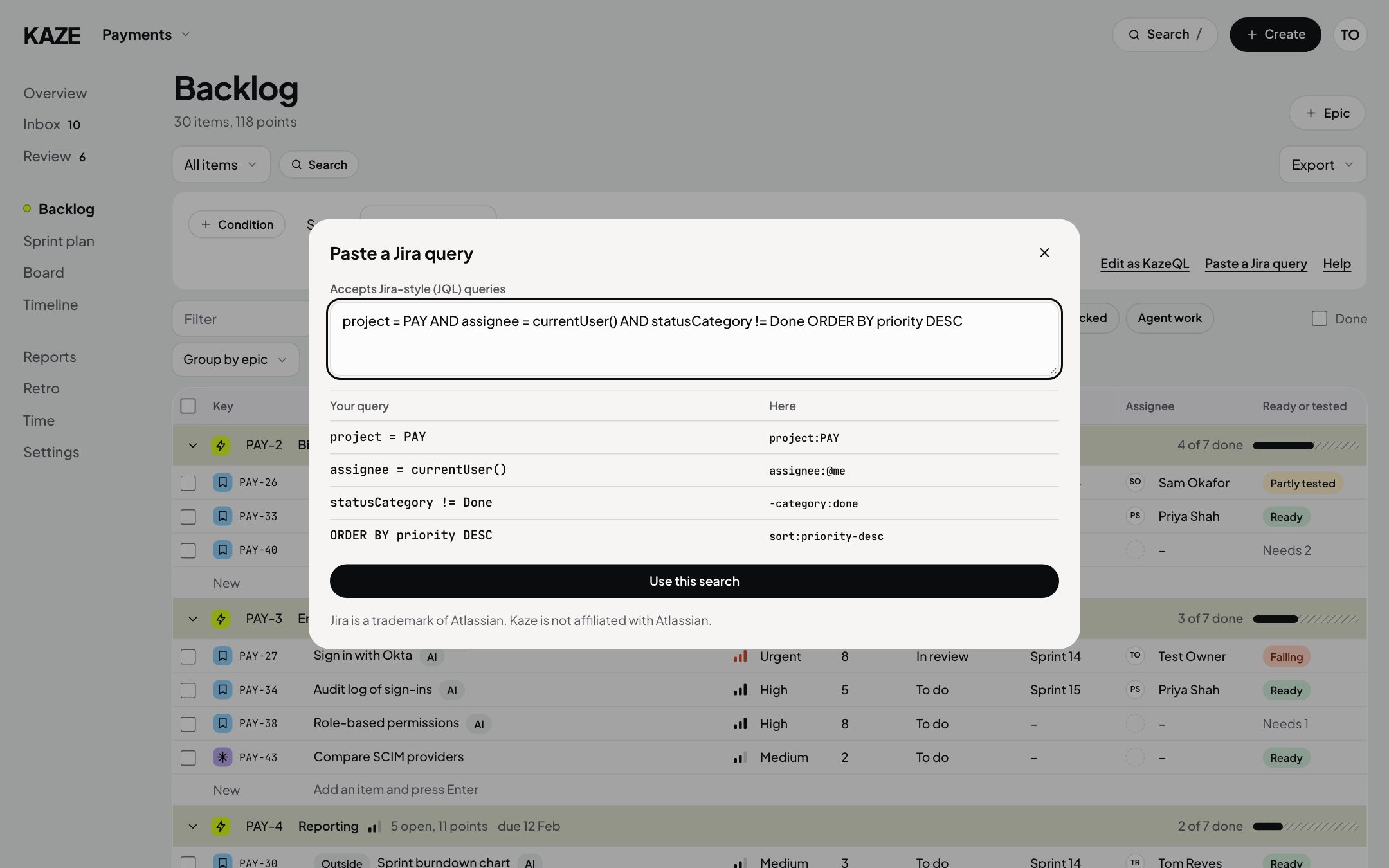
Choose Paste a Jira query. Kaze rewrites it in KazeQL line by line and flags anything it cannot carry over, so nothing is dropped silently.