Help centre / Getting started
Finding your way around
The team picker, the left-hand menu, search and shortcuts.
The team picker
The name at the top left is the team you are working in. Choose another team there and everything changes with it: the backlog, inbox, review queue, reports and settings.
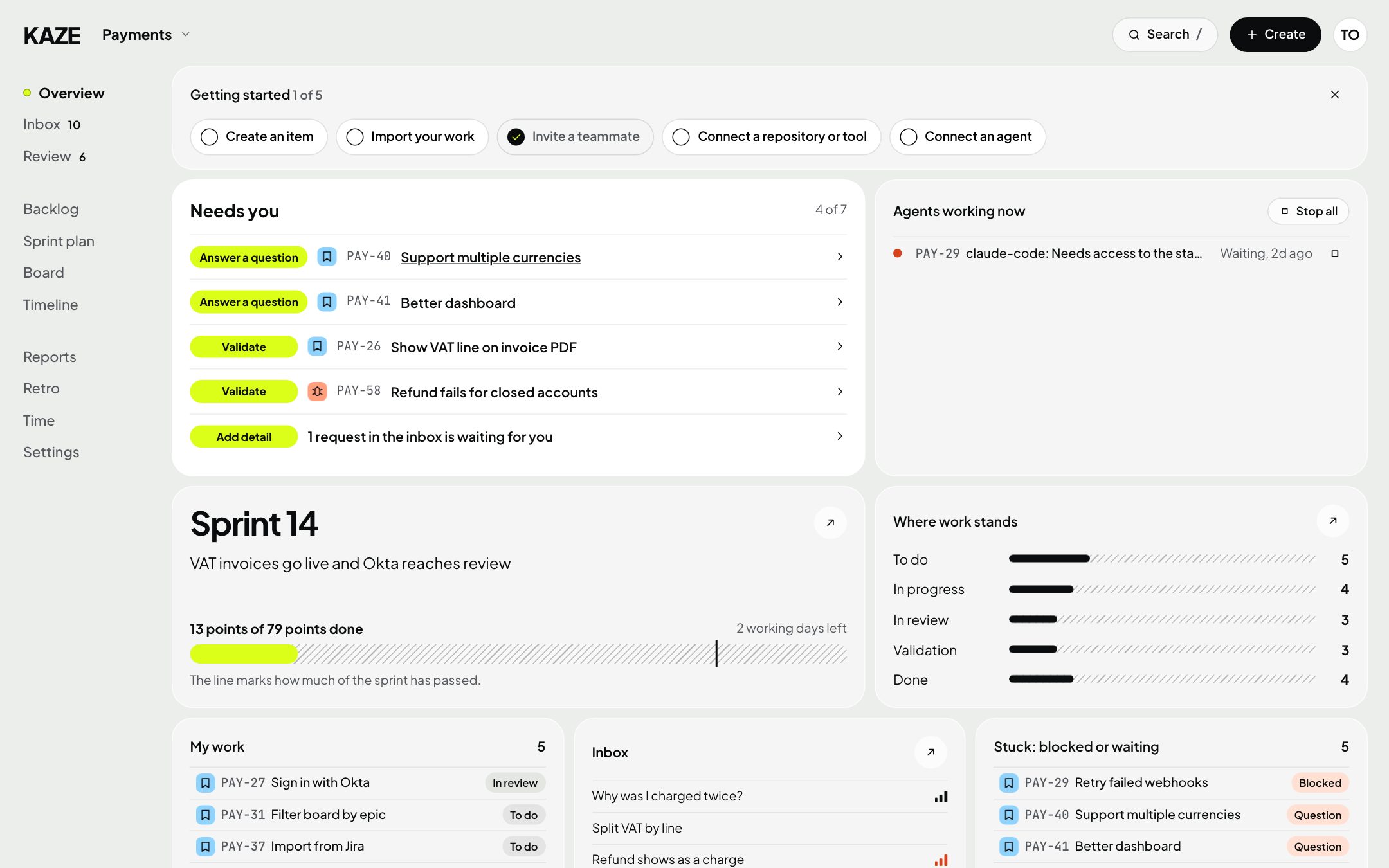
The left-hand menu
- Overview: what needs you, agents working now, the sprint and anything stuck.
- Inbox: requests from people and connected tools, waiting to be triaged.
- Review: agent work waiting for a decision, riskiest first.
- Backlog, Sprint plan, Board, Timeline: planning, from items to the plan stakeholders see.
- Reports, Retro, Time, Settings.
Search and shortcuts
Press / or Cmd+K to search items or jump to a page. Press C to create an item, ? to see every shortcut, and G then a letter to move: G O for Overview, G I for Inbox, G R for Review, G B for Backlog. Single-key shortcuts can be turned off on each device.